

Understanding Peer-to-Peer Trading in South Africa
Learn how peer-to-peer (P2P) trading works in South Africa 🇿🇦 including platform types, safety tips, legal advice, and its impact on the local economy 📈.
Edited By
Thomas Whitaker
Begging with the right laptop is not just about having a shiny gadget on your desk – it's about whether you can keep pace with the ever-shifting forex markets here in South Africa. A proper machine will let you watch price movements in real-time, react quickly with trades, and run multiple analytical tools without grinding to a halt.
South African traders face unique challenges, like frequent loadshedding that can disrupt online connections or heavy data costs that make efficient use crucial. Your laptop needs to be reliable and nimble, even during peak market volatility.
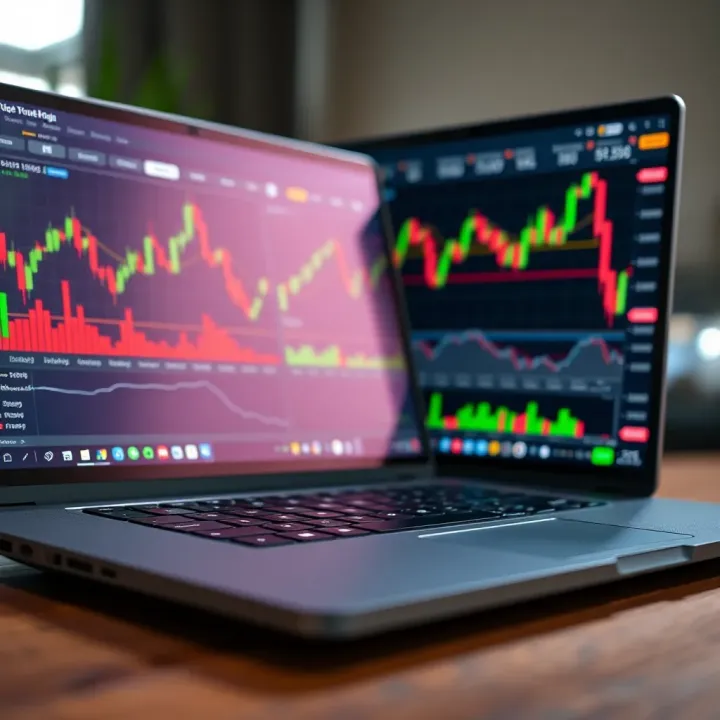
Here’s what to focus on:
Processing power: Forex platforms and charting software can be demanding. A swift processor, ideally an Intel Core i5 or AMD Ryzen 5 and above, keeps things ticking smoothly.
RAM: At least 8GB helps you juggle between trading platforms, newsfeeds, and spreadsheets without crashes or slowdowns.
Storage: Solid State Drives (SSD) speed up system start-ups and data access — vital when seconds count. Aim for 256GB or more.
Display: A crisp, clear screen is non-negotiable for reading detailed charts. A 14-inch or larger Full HD (1920x1080) display fits most needs.
Connectivity: Robust Wi-Fi (802.11ac or better) with Ethernet port options guarantee stable connections.
The right laptop can be the difference between catching a winning trade and missing out entirely.
Keeping practical South African considerations in mind—like battery life to ride out brief power cuts or local support availability—can save you headaches later. This article will guide you through picking a laptop that suits your trading style, budget, and local conditions efficiently.
For anyone trading forex in South Africa, picking the right laptop goes beyond just a flashy spec sheet. You need a machine that keeps up with fast-moving markets, runs multiple apps without a hiccup, and doesn’t let you down during long sessions. Certain key features become non-negotiable here.
Processor speed and cores matter a lot because forex trading platforms often juggle lots of data in real-time. A laptop with a multicore processor—say an Intel i5 or better—handles multiple processes, such as live charts and news feeds, without lag. Trading on an older dual-core machine will feel like watching paint dry when markets move swiftly.
Sufficient RAM for multitasking is just as important. Running one trading platform might not strain your system much, but add in charting software, a browser with several tabs, and perhaps some spreadsheet work, and your RAM is tested. Typically, 8GB handles this setup comfortably, but 16GB gives breathing room to switch between apps without delay.
Screen size and resolution are crucial since you want to view several charts and data streams at once. A 15-inch display with full HD 1920x1080 resolution strikes a good balance between detail and portability. Larger screens offer more workspace, but dragging a bulky machine to your favourite coffee spot isn’t ideal.
Eye comfort cannot be overlooked during long hours staring at the screen. Laptops that come with anti-glare screens cut down reflections, which are really distracting under South African office lights or sunlight. Plus, features like blue light filters help reduce eye strain and headaches when trading late into the evening.
Balancing mobility with performance is key. You might want to trade from home, but the reality is that a trader often needs to be on the move. Lightweight laptops that are just under 2kg are easier to carry yet still pack enough power for trading tasks.
Battery longevity is another boon. A machine that runs for 6 hours or more means you can trade through morning coffee to lunch without scrambling for a plug. This is especially handy during load-shedding when mains power cuts hit unexpectedly.
Good Wi-Fi and Ethernet capabilities are fundamental. Reliable internet can make or break a trade, so look for laptops supporting the latest Wi-Fi standards (such as Wi-Fi 6) and have an Ethernet port for wired backup.
Don't underestimate the value of USB and HDMI ports. USB slots let you connect external drives for backups or peripherals like a mouse and keyboard, while HDMI comes handy if you want to extend your workspace onto a larger monitor for better chart analysis.
A forex trading laptop is your daily workhorse. It pays off to invest in key features that keep your platform responsive, your eyes comfortable, and your connection steady, particularly amid South Africa’s unique trading environment.
Choosing the right specifications for your trading laptop is key to ensuring smooth performance when running multiple applications and analysing market data. Forex trading platforms, charting tools, and real-time analytics demand a setup that can keep up without lag or unexpected crashes. This section lays out the processor, memory, storage, and graphics requirements that can serve you well in the South African trading environment.

For forex traders, the processor is the heart of the laptop’s performance. At a minimum, look for an Intel Core i5 or AMD Ryzen 5 series CPU. These processors handle everyday trading software well, but if you plan to run several applications simultaneously––think trading platforms, news feeds, and charts––an Intel Core i7 or AMD Ryzen 7 is a better fit. These higher-end CPUs provide more cores and threads, helping you keep up during fast market movements when quick decision-making counts.
Alongside the processor, RAM plays a big role in multitasking without hiccups. A minimum of 8GB RAM is recommended, but ideally 16GB. With 16GB, you won’t find yourself closing programs just to keep your laptop running smoothly. For example, running MetaTrader 5 while keeping Chrome tabs open for financial news won’t slow your machine as much. Insufficient RAM can cause delays or even crashes during critical trading sessions, which can cost you real money.
When it comes to storage, a solid-state drive (SSD) is the way to go over a traditional hard disk drive (HDD). SSDs offer faster boot times and quicker program launches, reducing the wait when you need to execute trades swiftly. In contrast, HDDs are slower and more prone to mechanical failure, which can interrupt your trading day unexpectedly. A laptop with an SSD gives you a more reliable and responsive experience—important when split seconds matter.
For most traders, a 256GB SSD provides enough space for your trading software, data, and the occasional download. However, if you handle extensive historical data or run parallel virtual machines for testing strategies, consider 512GB or more. This extra storage ensures room for your files and keeps your laptop’s performance steady as SSDs slow down when nearing full capacity.
For forex trading, integrated graphics found in Intel UHD or AMD Radeon Vega chips generally suffice. Trading software rarely demands heavy graphical power, so a dedicated GPU—like Nvidia’s GTX or RTX series—may not provide significant benefits, especially considering their extra cost and power consumption. If you plan to use your laptop for graphic-intensive tasks beyond trading, then a dedicated GPU might be worthwhile.
Most trading platforms, such as MetaTrader or Thinkorswim, benefit more from CPU and RAM rather than graphics power. However, having a decent integrated GPU can help with rendering multiple charts and technical indicators smoothly. Avoid laptops with outdated or very basic graphics chips, as these may struggle with modern software visualisations, causing slow or choppy displays during complex analysis.
A well-balanced laptop with the recommended CPU, RAM, SSD storage, and graphics setup lets you focus on trading—not on fixing technical glitches or slowdowns.
This setup strikes a good balance between resource needs and budget, ensuring your trading experience in South Africa remains sharp and reliable.
Selecting the right laptop isn’t just about having the fastest or most expensive model. For South African forex traders, it’s about matching your device to your trading style, budget, and local buying options. Understanding popular laptop options within the South African market helps you make a smart purchase that suits the demands of fast-paced trading.
Affordable laptops with decent specs serve as a practical starting point for new traders or those who want a dedicated forex machine without splurging. Models such as the Lenovo IdeaPad 3 or HP 14 offer solid Intel Core i3 or AMD Ryzen 3 processors, 8GB RAM, and SSD storage at prices around R7,000 to R10,000. These specs support popular trading platforms like MetaTrader 4 with enough speed for simultaneous charts and order management.
Where to buy in South Africa is key to getting the best deal on budget laptops. Retailers like Incredible Connection, Makro, and Game often offer seasonal discounts. Online platforms such as Takealot provide a wide range with user reviews, making it easier to compare specifications. Just remember to factor in delivery times and warranty options, especially if you’re relying on the laptop daily for trades.
Mid-range laptops strike a balance between cost and performance, ideal for traders who need more processing power and screen real estate. Laptops in the R12,000 to R20,000 range like the Dell Inspiron 15 or ASUS VivoBook come with Intel Core i5 or Ryzen 5 CPUs, 8 to 16GB RAM, and fast SSDs. These specs allow smoother multitasking, quicker data analysis, and reliable chart rendering.
South African traders can find these models at physical stores such as Dion Wired or via online platforms such as Takealot and Loot. Local retailers often bundle laptops with accessories like a mouse or carry case, which can add value. Comparing prices between online and in-store options is worthwhile, as stock levels and promotions differ.
For serious traders who need premium features, high-end laptops provide robust performance and durability. Choices like the Dell XPS 15, MacBook Pro, or Lenovo ThinkPad X1 Carbon, often costing above R25,000, come equipped with Intel Core i7 or i9 processors, at least 16GB RAM, and high-resolution displays. These specs handle multiple monitors, advanced algorithm software, and ensure responsiveness during rapid market shifts.
Availability and warranty considerations should guide your choice. Purchasing from official brand stores or authorised dealers in South Africa guarantees better after-sales service and local warranty coverage, which is crucial if repairs or servicing are needed. Extended warranties and support plans are worth considering, especially for such an investment.
Pro tip: Always weigh your specific trading needs against laptop features and purchase from reputable outlets. Checking reviews focused on South African users can uncover insight about durability and local support.
Whether you’re just starting out or ready to upgrade, South Africa offers a range of laptop options to match your forex trading demands without compromising on reliability or performance.
When choosing a laptop for forex trading in South Africa, software compatibility and security features are just as critical as hardware specs. Your trading platform needs to run without hiccups, and your personal and financial data must stay protected against increasing cyber threats. Overlooking these aspects can lead to costly delays and exposures.
Most South African traders use platforms like MetaTrader 4 (MT4), MetaTrader 5 (MT5), TradingView, or cTrader. It's essential your laptop supports these platforms fully, including their latest versions, since they're frequently updated to improve functionality and security. For instance, MT5 requires Windows 7 or later and performs better with at least 8GB of RAM and a multi-core processor to handle multiple charts and indicators simultaneously.
Apart from operating system support, pay attention to software features such as VPS (Virtual Private Server) compatibility. VPS lets you maintain uninterrupted trades even during power or internet outages—a big deal in South Africa with ongoing loadshedding. Checking whether your laptop supports reliable VPN or remote desktop applications is also worth considering, as many traders access their accounts remotely.
Having solid antivirus and firewall protection is not optional when dealing with sensitive financial information. South African traders have reported phishing attempts aimed at stealing login credentials or executing unauthorised trades. A reliable antivirus shields your laptop from malware, while a properly configured firewall controls inbound and outbound traffic, preventing unknown connections that might compromise your data.
Backing up your trading data is equally vital. Imagine losing all your trade history, indicators, and settings after a laptop crash or ransomware attack—rebuilding everything from scratch would be a nightmare. Effective solutions include scheduled automatic backups to external drives or cloud services like OneDrive or Google Drive. For offline backup, a secure external hard drive kept separate from your laptop offers peace of mind, especially if you're in areas where internet connectivity is patchy or costly.
Remember, a secure and compatible trading setup safeguards not just your hardware, but your trades and financial future as well. Investing a little time upfront on software and security pays off by preventing frustrating interruptions and losses.
In summary, pair your hardware choice with up-to-date trading software and robust security protocols. This approach ensures smooth operation during volatile forex hours and protects your data from threats common in South Africa’s digital environment.
Maintaining your laptop's performance is vital for forex trading, where every second counts and system reliability can affect your trades. Regular upkeep ensures your machine runs smoothly, avoids unexpected slowdowns, and protects your sensitive financial data. This section offers practical tips to keep your laptop in shipshape, minimising downtime and helping you trade with confidence.
Keeping your operating system and trading applications up to date is fundamental. Updates often include patches for bugs, improved compatibility, and new features that maintain smooth operation. For example, a trading platform like MetaTrader or NinjaTrader regularly releases updates that fix minor glitches or improve order execution speed. Ignoring these could mean missing out on crucial fixes that improve your trading workflow.
Besides software updates for your applications, your laptop's operating system, whether Windows 10/11 or macOS, requires regular updates to stay secure and stable. These updates address vulnerabilities that malicious software can exploit. South African traders, like anyone else, are at risk from cyber threats if their systems remain exposed due to outdated software.
Staying up to date isn't a luxury—it's a necessity. It keeps your laptops stable and safe, letting you focus on trading, not troubleshooting.
Regular updates bolster system stability by closing security loopholes and optimising software performance. They reduce unexpected crashes and slowdowns that jeopardise active trades or market monitoring. For example, an outdated browser or platform could freeze when you need to analyse charts quickly. Updating prevents such interruptions, especially during volatile trading hours.
Heat buildup can throttle your laptop’s performance, making it sluggish when you need it most. Keeping your laptop cool is critical. Traders in South Africa often work in warmer climates, which only makes effective cooling more important. Use your laptop on hard surfaces rather than soft ones like beds or couches to allow proper air circulation. Investing in a cooling pad can be a wise move, especially during those marathon trading sessions.
Dust and dirt accumulate inside vents and fans, blocking airflow. In the long run, this causes overheating and potential hardware damage, which means unexpected repairs or replacements. Checking and cleaning these components every few months can extend your laptop’s lifespan significantly.
Beyond internal care, keeping your peripherals and screen clean also helps maintain an effective trading setup. A dusty keyboard or sticky keys slow you down and increase frustration while executing orders fast. Use a compressed air canister to clear crumbs and dirt gently.
For the screen, regularly wiping it with a soft microfiber cloth prevents dust buildup and glare, which can strain your eyes during long hours monitoring multiple charts. Avoid harsh chemical cleaners and rather opt for screen-safe solutions or lightly damp cloths. In South Africa, where daylight hours can be bright, a clean, anti-glare screen contributes a lot to eye comfort.
Together, these maintenance habits don't just keep your laptop looking good—they keep it running reliably, so you’re always ready to act when the markets move.
Learn how peer-to-peer (P2P) trading works in South Africa 🇿🇦 including platform types, safety tips, legal advice, and its impact on the local economy 📈.
Discover how South African traders use Telegram forex signals 📱 to improve trading. Learn risks, benefits, and tips for choosing reliable providers ⚖️.

Explore synthetics trading in South Africa 🇿🇦: how synthetic assets are created, traded and regulated with key benefits and risks explained clearly.

Discover what makes top South African forex traders successful, from key strategies to local challenges. Learn what sets them apart in the market 📈💡
Based on 5 reviews