
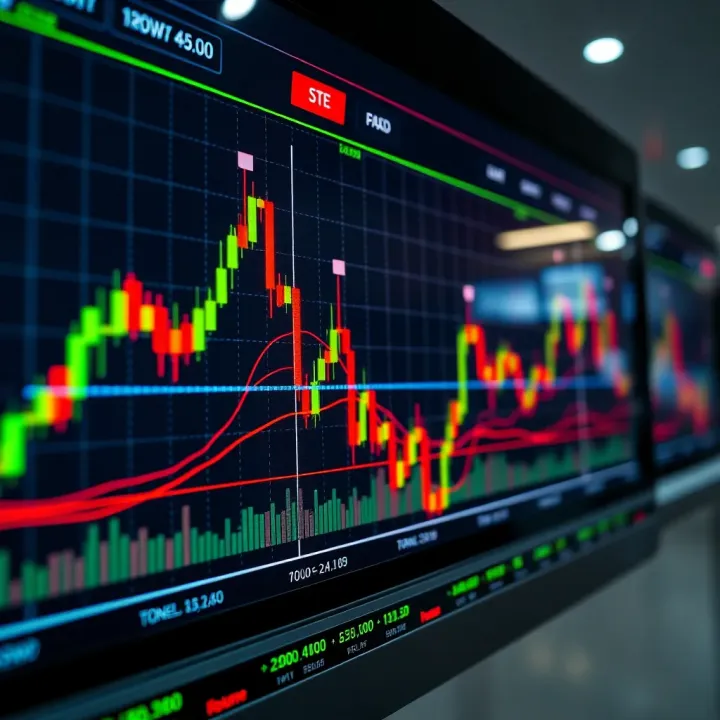
Live Trading Charts Guide for Kenyan Traders
📈 Learn how to read live trading charts to make smarter trades in stocks, forex, and commodities. Discover top platforms in Kenya and handy tips for success.
Edited By
James Harrington
MetaTrader Web Terminal offers a straightforward way for traders to access financial markets directly through their browsers without installing any software. This convenience matters especially for Kenyan traders who might switch between different computers or prefer to avoid bulky applications. Whether you are trading forex pairs like USD/KES or CFDs on commodities, understanding how to navigate the MetaTrader Web Terminal can boost your efficiency.
Unlike the desktop MetaTrader platforms, the web terminal delivers these core features while relying entirely on internet connectivity and browser compatibility. It means you can trade from places like Nairobi, Mombasa, or Kisumu using just Safaricom’s reliable network and your preferred web browser.
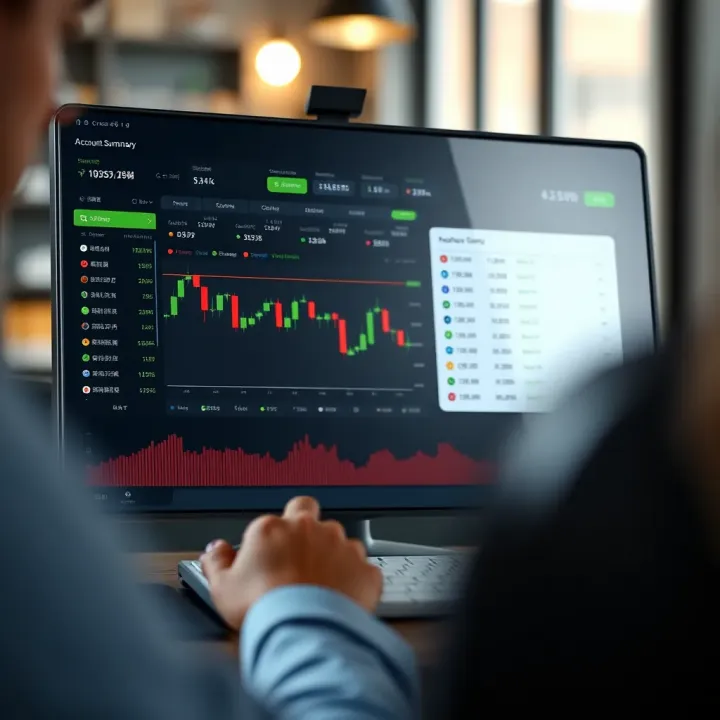
The interface includes real-time price quotes, charting tools, technical indicators, and order execution options — essentials for making informed decisions. For example, you can easily open a position on EUR/USD or monitor your open trades while sipping chai at your local duka without losing track.
Using the MetaTrader Web Terminal avoids the hassle of installing software and updating it regularly, making it very practical for traders on the go in Kenya’s fast-paced environment.
Getting started requires a valid trading account with a broker supporting the MetaTrader platform. Many Kenyan brokers provide demo and real accounts accessible immediately after registration through this terminal. Fund transfers and withdrawals can be managed seamlessly via M-Pesa or bank transfers, depending on your broker.
In this guide, we will break down the main features, step-by-step setup, trade execution tips, and security measures all tailored for the Kenyan market. You will learn how to make the most out of this powerful tool without unnecessary complexity or downtime.
The following sections will focus on practical uses, from setting up your account on the web terminal to securing your trades and managing risks effectively. This way, you can concentrate more on your trading strategy and less on technical headaches.
Grasping what the MetaTrader Web Terminal brings to the table is essential before diving into online forex or CFDs trading. This platform offers a straightforward way to trade directly through a browser, cutting out the need to download or install any software. For traders in Kenya juggling access across different computers or even at internet cafes, this means you can log into your account from virtually anywhere and place trades securely.
Learning about the Web Terminal also helps you understand how it differs from the more familiar desktop or mobile versions. Knowing these differences allows you to pick the right tool based on your trading style and internet setup.
The MetaTrader Web Terminal opens your trading window through just a web browser. This is handy when you're using computers that don’t allow software installation, such as shared devices or public computers in Nairobi's internet hubs. For example, if you want to analyse charts or place orders while travelling or at a café, this web-based option is quick and efficient.
Compared to the desktop version, the Web Terminal doesn’t require updates or installations, which can sometimes be a headache especially when internet connections are patchy. The web version often loads quicker but may lack some advanced features like custom indicators or expert advisors seen on the desktop platform. Meanwhile, mobile apps offer more seamless push notifications and offline access, but they can drain your device battery fast. The Web Terminal strikes a balance by giving you decent functionality without tying you to one device.
The Web Terminal supports a broad range of instruments including forex currency pairs, commodity CFDs like gold and oil, and stock indices. This variety lets you diversify your portfolio without shifting platforms. For instance, a trader in Mombasa can switch between trading USD/KES forex and Brent crude CFDs easily, all within the same web session.
Most modern browsers like Google Chrome, Mozilla Firefox, Microsoft Edge, and Safari work seamlessly with the MetaTrader Web Terminal. Ensuring your browser is updated is key, as older versions might struggle with chart rendering or tracking trade updates in real-time. So, avoid using outdated browsers common on older computers if you want smooth performance.
A stable and reasonably fast internet connection is necessary to avoid lag, especially when placing time-sensitive trades. Typical Kenyan home or office fibre connections provide ample bandwidth, but when using mobile data or slower connections, you might notice delays in price updates. This can be critical if you trade during volatile market hours.
Because it's web-based, the platform works on PCs, laptops, tablets, and even smartphones. That said, trading on smaller screens could restrict your ability to analyse detailed charts properly. For serious chart work, a desktop or tablet with a minimum 10-inch display is preferable. Tablets are handy for field traders attending harambees or busy markets who still want access without lugging a laptop around.
Knowing these practical aspects of the MetaTrader Web Terminal ensures you pick the right setup and approach for your trading activities, avoiding frustrations and maximising your chances of success.
Getting started with the MetaTrader Web Terminal requires a clear understanding of account registration and how to access the platform securely. These first steps determine your trading experience and security levels, so they deserve careful attention. Proper set-up allows you to trade anytime, anywhere without installing software, which is especially handy when using shared computers or multiple devices.
Registering through Brokers
To start trading on MetaTrader Web Terminal, you first need to create an account with a broker that supports the platform. Brokers act as intermediaries between you and the financial markets. Registration typically involves providing identification documents as per Kenyan regulations and funding your account. It’s wise to choose a broker licensed by the Capital Markets Authority (CMA) in Kenya for safety and compliance. This step ensures you access real market data and can execute trades smoothly.
Using Demo and Live Accounts
Most brokers offer both demo and live accounts on MetaTrader Web Terminal. Demo accounts let you practise trading with virtual funds, allowing you to explore the platform's features and try out strategies without risking real money. Transitioning to a live account is straightforward once you feel confident. Live accounts involve actual funds and real profits or losses, so it’s crucial to understand this difference before trading.
Secure Login Practices
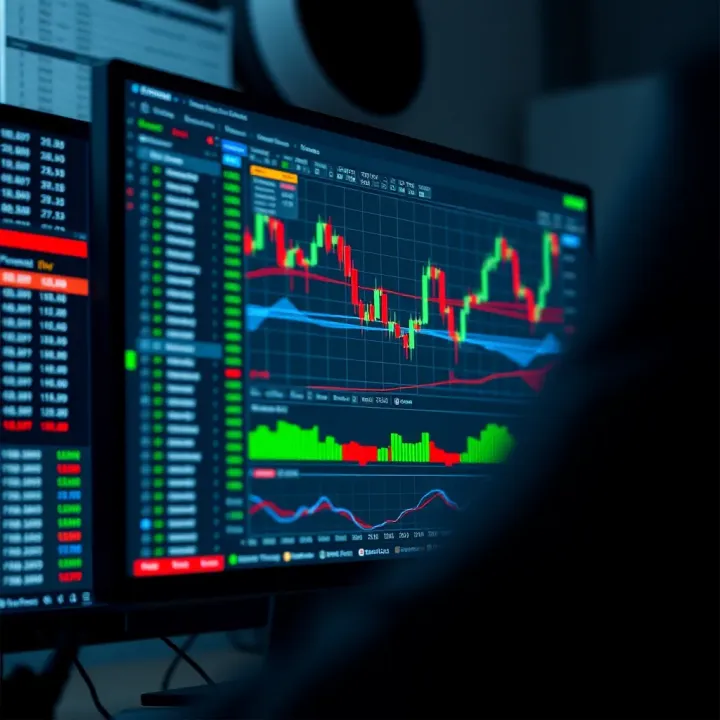
Protecting your account starts with strong login habits. Always use unique, complex passwords that include letters, numbers, and symbols. Enable two-factor authentication (2FA) when available—this adds an extra security layer by sending codes to your mobile phone or email. Avoid logging in from public Wi-Fi without a VPN, as open networks expose your credentials to snoopers. Logging out immediately after trading sessions also keeps your account safe in shared computer settings.
Main Dashboard Features
Once logged in, the main dashboard presents a concise overview of your account. You’ll find your balance, equity, and used margin clearly displayed. The interface also highlights active orders and positions, helping you stay on top of your trades. Customisable watchlists let you track preferred currency pairs, indices, or commodities at a glance. For example, a Kenyan trader might prioritise USD/KES or EUR/USD on their watchlist.
Charting Tools and Indicators
The Web Terminal offers a full range of charting tools suited for technical analysis. You can switch between timeframes—from minutes to monthly charts—and choose various chart types like candlestick, bar, or line charts. Built-in indicators such as Moving Averages, RSI (Relative Strength Index), and MACD provide insights into market momentum and potential entry or exit points. Being familiar with these tools helps in making informed trading decisions without relying solely on basic price quotes.
Order Management Panel
Efficient order management is key to successful trading. The panel allows you to place new orders—either market or pending—quickly and to modify or close positions with ease. You can set stop loss and take profit levels as part of your orders to manage your risk and lock in gains. Alerts and notifications about price changes or order executions keep you updated, even when juggling other tasks. This is particularly useful for Kenyan traders balancing busy days with trading activities.
Proper account set-up and confidently navigating the MetaTrader Web Terminal are the foundation of a smooth and secure trading experience. Taking time to understand these steps puts you in control, helping reduce mistakes and increase your chances of success.
Executing trades and managing positions through the MetaTrader Web Terminal allows traders to be swift and flexible in responding to market changes without being tied to a physical location. This is particularly valuable for Kenyan traders who may need access to their accounts whether in Nairobi, Mombasa, or a remote shamba. Trading directly on the web terminal supports quick decision-making and real-time management that can reduce potential losses and maximise opportunities.
The MetaTrader Web Terminal supports several order types, notably market orders and pending orders. Market orders buy or sell a financial instrument immediately at the current market price. This is useful during fast-moving markets when you want your trade executed quickly. Pending orders, on the other hand, allow you to set a specific price at which the trade will be opened later. This flexibility is practical when you have a target entry price but the current market doesn't meet it yet—say, you expect a currency pair to drop before it rises.
Once an order is placed on the web terminal, the execution is done on the broker's server. Market orders usually get filled instantly if liquidity exists, but pending orders sit waiting until the conditions you set appear. For example, if you choose a Buy Limit pending order at a price lower than the current market, your order waits until the market drops to that level. Understanding this helps prevent surprises, especially in volatile markets where delays or slippage can affect results.
To manage risks, the MetaTrader web terminal lets you set Stop Loss and Take Profit levels on your orders. Stop Loss automatically closes your position if the market moves against you to a certain loss point, protecting your capital. Take Profit locks in gains by closing your trade once a specific profit level is hit. For example, if you buy a forex pair at 110.00, you might set a Stop Loss at 109.50 and Take Profit at 111.00. This automation means you can trade even when offline with limited worry.
The platform provides live updates on your open positions, showing current profit or loss in real time. This feature keeps you informed about how your trades perform as the market moves. For a Kenyan trader, it means you can quickly check your position during a matatu ride or a quick break at the duka to decide your next move.
If the market shifts, you might want to adjust your Stop Loss, Take Profit, or even add a trailing stop directly through the web terminal. This capability is essential to adapt to unfolding market trends or new information without needing to close your position prematurely, offering both flexibility and control over your trades.
Set up alerts to notify you when a price reaches a certain threshold or when an order executes. These notifications help keep trading timely and efficient, even if you’re engaged in other activities. For instance, an alert can prompt you to close a trade before a forecasted economic event or open a position based on price movements, maximising your responsiveness without constant screen-watching.
Efficient trade execution and position management online enable Kenyan traders to remain active and responsive in dynamic markets. The MetaTrader Web Terminal's combined features offer convenience and crucial trade control, aiding better financial outcomes.
As Kenyan traders engage with the MetaTrader Web Terminal, adapting to local conditions is essential for a smooth trading experience. This section highlights practical considerations that make a real difference, from managing internet performance to handling payments safely. Trading success not only depends on knowing the software but also on optimising the conditions under which you use it. Here, we focus on challenges and solutions tailored specifically for Kenyan traders.
Kenya’s internet service can vary significantly by location and provider, making bandwidth and latency major factors for online trading. Bandwidth refers to the volume of data you can transfer in a set time, while latency is the delay between sending a command and receiving a response. High latency or low bandwidth can cause delays in order execution, which might lead to missed opportunities or slippage—where trades happen at prices different from what you intended.
For example, a trader using a 3G connection in rural areas may experience slow updates on price charts or delays in placing stop losses. On the contrary, someone using fibre optic internet with lower latency in Nairobi will likely enjoy real-time updates and faster trade executions. To ease this, turn off unnecessary apps or devices hogging your internet at home, and consider trading during off-peak hours when network congestion is lower.
Reliable internet providers can make or break your trading experience. In Kenya, providers such as Safaricom, Zuku, and Jamii Telecom offer various packages from mobile data to fibre connections. Many traders prefer fibre for its stability and speed, especially in urban areas. If working from home or an office, subscribing to a fibre plan with at least 10 Mbps download speed can significantly improve performance on MetaTrader Web Terminal.
At the same time, having a mobile data backup like Safaricom’s 4G network is sensible. Safaricom, being widespread, offers better coverage in many parts of Kenya compared to others, so it's a smart alternative if your fibre drops. Test your provider's uptime and speed first before committing long-term. Additionally, investing in a good router and ensuring your device isn’t too far from it can reduce latency and improve connection stability.
Most Kenyan traders prefer using M-Pesa for funding trading accounts because it’s fast, accessible, and widely accepted. MetaTrader brokers supporting M-Pesa deposits and withdrawals allow seamless local transactions without converting currencies or dealing with complex banking procedures. For those using bank transfers, popular banks like KCB and Equity offer online and mobile banking to send funds directly.
This integration means you avoid the hassle of international wire transfers, which can take days and incur high fees. For instance, a trader depositing KSh 50,000 via M-Pesa to a broker’s Paybill is usually credited within minutes, enabling quicker market action.
Before sending funds, confirm your broker is regulated and reputable. In Kenya, check if the broker is licensed by the Capital Markets Authority (CMA). Verified brokers must comply with local regulations, increasing safety for your investments. You can cross-check the CMA website or broker reviews on trusted financial platforms to avoid fake or fly-by-night operators.
Licensed brokers also follow strict rules on segregating client funds and regular audits — factors that protect you in case of disputes or broker insolvency.
Kenya’s booming online trading scene has attracted scammers targeting unsuspecting traders. Always be wary of brokers promising unrealistic returns or pushing you to invest quickly without proper documents. Genuine platforms provide clear terms, have transparent fees, and offer customer support channels.
Never share your MetaTrader account details or login credentials with anyone. Additionally, avoid clicking links sent via WhatsApp or email claiming to be from brokers unless verified. Use official websites or established broker platforms for access.
Securing your funds and ensuring a stable connection are as vital as understanding how to place trades. By focusing on these areas, Kenyan traders reduce risk and increase their chances of a positive experience with MetaTrader Web Terminal.
This guidance helps you trade with confidence, making the most of the platform within the Kenyan context.
Security and privacy are top priorities when using the MetaTrader Web Terminal. Since this platform handles sensitive financial activities, protecting your account and personal data from threats is essential. A breach could lead to unauthorised trades, financial losses, or identity theft. Understanding practical ways to safeguard your credentials and information ensures peace of mind while trading online.
A strong password is your first line of defence. Avoid obvious choices like birthdays or simple words. Instead, combine uppercase and lowercase letters, numbers, and symbols to create a password that's hard to guess. For example, rather than "Trader123", use something like "M3t@Tr@der!94". This makes it tougher for automated bots or hackers to crack your account.
Two-Factor Authentication (2FA) adds an extra layer of security. Beyond usernames and passwords, you'll need to provide a one-time code sent to your phone or generated by an app. This means even if someone gets hold of your password, they still can't access your account without that second factor. Many Kenyan brokers now support 2FA, so enable it as a routine security step.
Public Wi-Fi networks, such as those found in cafes or malls, are often unsecured, making it easy for attackers to intercept your data. Logins made over such connections can be exposed to snoopers. When trading through the MetaTrader Web Terminal, avoid accessing your account on public networks unless you're using a Virtual Private Network (VPN) to encrypt your connection.
If you must trade outside your home or office, consider mobile data or secured Wi-Fi sources. For instance, Safaricom’s 4G or 5G networks tend to offer more secure connections. Keeping your software, including the browser, up to date also protects against vulnerabilities that might be exploited over weak networks.
When you register and trade, brokers collect personal data like your identification, contact details, and financial information. This data is crucial for verifying your identity and fulfilling compliance rules. However, reputable brokers ensure that such information is encrypted and stored securely to prevent leaks.
For Kenyan traders, it's advisable to work with brokers that clearly explain their data handling policies. They should state what information they collect, how it's used, and if shared with third parties. Transparency builds trust and protects you from unexpected misuse of your data.
Regulations from bodies like the Capital Markets Authority (CMA) in Kenya require brokers to follow strict rules on client data protection. Globally, rules such as the GDPR (General Data Protection Regulation) set standards for handling personal data. A broker compliant with these standards will typically have systems to protect your privacy and mechanisms to resolve disputes.
Choosing regulated brokers ensures you’re dealing with firms that adhere to legal obligations on transparency and security. This reduces risks from fraudulent operations and reassures you that your trading activities follow recognised protocols. Always verify a broker’s regulatory status before committing funds.
Securing your MetaTrader Web Terminal account and personal data protects your investments and trust. Use strong passwords, enable 2FA, avoid unsecured networks, and trade through regulated brokers to keep your information safe.
📈 Learn how to read live trading charts to make smarter trades in stocks, forex, and commodities. Discover top platforms in Kenya and handy tips for success.
Learn how Kenyan traders can use the IQ Option demo account 📊 to practise trading safely. Get tips on setup, features, and managing risks before real deals.
📉 Learn how margin calls affect your forex trades and how to manage risks effectively. Essential tips for Kenyan traders to protect investments in the market.
💰 Discover how funded trader competitions offer Kenyan traders a chance to grow capital without risking KSh, plus learn rules, risks, and winning tips.
Based on 8 reviews