

Understanding IQ Option Minimum Deposit for Kenyan Traders
📈 Discover the IQ Option minimum deposit for Kenyan traders, payment methods like M-Pesa, and handy tips to start trading securely with confidence today.
Edited By
George Sinclair
IQ Option has become a popular choice for many Kenyan traders looking to access global financial markets from their mobile devices or computers. The platform offers a user-friendly interface, quick trade executions, and a variety of asset classes—stocks, forex, cryptocurrencies, and commodities. If you want to start trading with IQ Option in Kenya, this section will guide you through the practical steps to download and install the app on your device.

Before downloading IQ Option, check your device compatibility to ensure a smooth experience. The platform supports:
Android devices running Android version 5.0 or above
iOS devices such as iPhones and iPads with iOS 10 or newer
Windows and Mac computers via desktop application or web browser
Using the latest operating system on your mobile device will reduce glitches and improve security.
Officially, IQ Option does not appear on the Google Play Store due to trading regulations. To install it on Android:
Visit the IQ Option website directly from your mobile browser.
Locate the Android APK download link.
Before installation, allow app downloads from "Unknown Sources" in your device settings.
Download the APK and install it manually.
For iOS users, IQ Option is available on the Apple App Store. Simply search for "IQ Option" and download the app directly.
For those trading on a Windows or Mac computer, IQ Option offers desktop versions:
Download the Windows or Mac installer from the IQ Option website.
Follow the setup instructions.
Alternatively, trade directly through a compatible web browser without installation.
Using a desktop often provides more detailed charts and faster order placements.
Kenyan traders benefit from IQ Option’s integration with local payment methods, especially M-Pesa. Once registered and verified, you can deposit and withdraw funds using:
M-Pesa mobile money
Bank cards issued by Kenyan banks
Supported e-wallets accepted locally
This ease of funding helps maintain liquidity and manage trades without long delays.
By covering these essentials, you are already on your way to entering the trading world confidently. The next steps include creating and verifying your IQ Option account, which we will cover in detail ahead.
IQ Option has swiftly become a favourite for many Kenyan traders due to its accessible platform and versatile trading options. Understanding why this broker stands out in Kenya’s bustling trading scene is key to appreciating its widespread use. Its blend of user-friendly technology and practical Kenyan payment solutions makes it easier for a broad range of investors to join the market.
IQ Option presents a wide array of financial instruments, ranging from stocks and commodities to forex and cryptocurrencies. For instance, traders can speculate on shares from global giants like Apple, as well as on locally relevant forex pairs such as USD/KES. This diverse toolbox helps investors balance their portfolios or capitalise on fast-moving markets according to their risk appetite and trading style.
Additionally, IQ Option offers options trading, which allows users to predict asset movements within short periods. This feature suits those who want a quick return or to test strategies without committing significant capital, appealing particularly to Kenyan traders looking to start small.
The platform's interface is designed for ease of use, accommodating beginners and experienced traders alike. Clear charts, customisable indicators, and real-time data make it simple to follow market trends. Traders can easily switch between different instruments without bogging down their devices, which is essential given the range of smartphones in use across Kenya.
More so, IQ Option includes built-in educational resources. Tutorials and demo accounts allow users to practice risk-free before investing real money. This hands-on approach supports Kenyan traders in gaining confidence and skills essential for better trading outcomes.
One major reason Kenyans prefer IQ Option is its flexibility. The platform works on both mobile devices and desktop browsers, matching the tech environments common across urban and rural areas. A trader in Nairobi can use the app on a smartphone during a matatu ride, while someone in Kisumu might use a laptop at home.
This multi-platform approach means access to the market is not limited by device type, making it easier for all kinds of users to engage whenever and wherever they want. Plus, the app is lightweight and consumes less data, which is crucial for many Kenyans mindful of internet costs.
IQ Option’s integration with M-Pesa significantly boosts its appeal among Kenyan users. M-Pesa remains the most trusted and widespread payment method in the country, and the ability to deposit and withdraw funds directly via this service simplifies the transaction process.
Besides M-Pesa, IQ Option also supports bank transfers and card payments, but the convenience and speed of mobile money cater especially to those in less urban areas. This integration means traders can fund accounts or cash out winnings without the usual frictions associated with cross-border payments, saving time and cost.
The combination of a diverse trading suite, easy accessibility, and familiar payment options like M-Pesa makes IQ Option a practical choice for Kenyan traders eager to tap into global financial markets.

Using IQ Option smoothly depends a lot on whether your device supports the app properly. This section covers the system requirements and device compatibility so you can be sure your smartphone, tablet, or computer runs the platform without hassle. Traders in Kenya benefit from knowing exactly what devices work best to avoid interruptions during live trading.
IQ Option supports Android operating systems from version 5.0 (Lollipop) upwards. This means most smartphones in Kenya made within the last five years can install the app. If your phone is running an older Android version, the app might not install or could function poorly, leading to slow load times or crashes during trades.
Downloading IQ Option on Android is straightforward via the Google Play Store. Simply open the Play Store, search for “IQ Option”, and select the official app published by IQ Option Ltd. Tap "Install" and wait for the download and installation to finish. This method ensures you receive the latest version with important security updates, reducing risks compared to downloading from unverified websites.
For iOS users, IQ Option requires iOS 11.0 or later. Most iPhones or iPads from 2016 onwards fall in this category, including devices like the iPhone 6S and newer models. Older devices on outdated software versions often can't run the app, so checking your device’s iOS version before installing is key to a seamless trading experience.
The easiest and safest way to get IQ Option on your iPhone or iPad is through the Apple App Store. Search for “IQ Option” and look for the official publisher. After downloading, the app updates automatically when new versions are released. This ensures you have the latest features and security patches, which is crucial for keeping your trading account and funds safe.
If you prefer trading on a laptop or desktop, IQ Option supports Windows 7 and later versions, and macOS 10.11 (El Capitan) or newer. The platform runs well even on computers with moderate specs, as long as you have at least 2GB of RAM and an internet connection stable enough to handle live trading data.
You can either download the IQ Option desktop application compatible with your operating system or trade directly through their web platform. The web platform works on most modern browsers, so no installation is needed if you prefer to save space on your computer. However, using the desktop app might offer faster response times and slightly better performance, especially with heavy charting tools or during volatile market moments.
Making sure your device meets these compatibility requirements helps avoid unnecessary frustration and potential losses during trading. For Kenyan users especially, where internet connection quality varies, choosing the right device setup can make all the difference.
This step-by-step guide is vital for anyone in Kenya ready to start trading on IQ Option. It ensures you avoid common mistakes during download and installation, which can lead to security risks or frustration from back-and-forth troubleshooting. By following clear instructions, you get the platform running smoothly on your device, whether it’s a mobile phone or a computer. This practical approach saves time and helps you begin trading confidently without technical headaches.
Before you can install IQ Option on your Android or iOS device, enabling the correct app permissions is crucial. For Android, this often means allowing your phone to install apps from unknown sources if you're not downloading via the Google Play Store. You can find this option in the device’s security settings. On iOS, permissions are mainly handled during installation, but you should ensure location access and notifications are enabled for full platform functionality.
Allowing these permissions helps the app run correctly, especially for real-time updates and alerts that are essential when trading. For example, without notification permissions, you might miss trade confirmation messages or market alerts, which could impact your trading decisions.
Sometimes, IQ Option might not be available on the Google Play Store or App Store in Kenya due to local restrictions or app updates. In such cases, downloading the APK file or app directly from the official IQ Option website becomes an option.
When installing outside official stores, always ensure you download the app from trusted sources to avoid malware risks. Check the file's integrity and verify you're using the latest version. For instance, some traders use antivirus apps to scan the APK before installation. Also, update the app regularly to patch security flaws and benefit from new features.
IQ Option offers desktop versions tailored for Windows and Mac. Selecting the correct version ensures compatibility and performance. For example, the Windows installer supports Windows 7 and above, while Mac versions require macOS 10.12 or later.
Downloading the proper version means you avoid errors during installation, like crashes or failure to launch. Always check your PC’s system information before getting the installer. This way, you won't waste time with an incompatible file or risk unstable performance.
After download, the installation is straightforward but should not be rushed. For Windows, run the downloaded .exe file and follow installation prompts. You might be asked to allow changes to your system – this is standard for desktop apps.
On Mac, open the .dmg file and drag the IQ Option app into the Applications folder. Once installed, launch the platform and log in with your details. The first launch often includes updates or system checks to optimise for your hardware.
Launching the desktop version gives you access to larger charts and more detailed trading tools compared to mobile. It’s especially useful for serious traders who monitor markets for longer periods and require in-depth analysis.
Taking the time to follow these steps carefully not only protects your device but also puts you in a better position to trade effectively right from the start. Whether you’re on mobile or desktop, a smooth installation means fewer distractions and more focus on your trading goals.
Setting up your IQ Option account properly is essential for a smooth and secure trading experience, especially for Kenyan users who benefit from local payment methods and regulatory compliance. Tailoring your account to local preferences such as currency choices and verification steps reduces friction and builds trust with the platform.
You can register on IQ Option either by using an email address or linking your social media accounts such as Facebook or Google. This makes the sign-up quick and easier, especially if you want to avoid filling lengthy forms. For example, signing up with Google takes just a couple of clicks, while email registration allows more control and privacy.
Using social media login is practical if you’re regularly active on those platforms, helping you avoid password overload. However, ensure your social media accounts have strong security settings to protect your financial data.
IQ Option offers different account types, including a demo account for practice and a real account for live trading. Kenyan traders should first try the demo account to get the feel of the platform before risking real money. When ready, choose an account in Kenyan Shillings (KSh), which helps in avoiding currency conversion charges and makes depositing and withdrawing funds easier.
Selecting the right currency upfront simplifies tracking profits and losses since all your transactions will be in local currency. This is particularly helpful because exchange rate fluctuations between USD, EUR, and KSh can impact your apparent trading results.
IQ Option requires Know Your Customer (KYC) documents to verify your identity, an important step that aligns with financial regulations and safeguards your account. For Kenyans, this usually means uploading a copy of your national ID or passport and a utility bill or bank statement as proof of address.
Submitting these documents promptly speeds up the approval process and lifts limits on withdrawals. Skipping or delaying KYC verification may restrict your access to the platform’s full features and withdrawal options.
For added protection, IQ Option supports two-factor authentication (2FA), which requires a code from your mobile device or authentication app in addition to your password. Enabling 2FA is highly recommended, as this extra step significantly reduces the chances of unauthorised access to your account.
For Kenyan traders, using an authenticator app like Google Authenticator or receiving codes via SMS ensures you control login attempts, especially in a region where mobile phone SIM swaps can sometimes happen.
M-Pesa is the preferred payment method within Kenya for funding and cashing out from IQ Option. Depositing via M-Pesa is straightforward, fast, and secure. Simply link your M-Pesa number on the IQ Option platform and follow prompts to transfer funds directly from your mobile money account.
Withdrawals also work smoothly through M-Pesa, often completing within 24 hours. This local integration saves you from costly bank charges and delays typically associated with international transfers.
Besides M-Pesa, you can also use direct bank transfers or debit/credit cards to deposit funds. Banks like KCB, Equity, and Cooperative Bank support these transactions well, but international card payments might attract additional fees or require prior authorisation.
Choosing bank transfer is a reliable option if you prefer traditional banking channels or want to move larger sums safely. However, expect slightly longer processing times compared to M-Pesa. Having multiple payment methods gives Kenyan traders flexibility in managing their funds according to convenience and cost.
Setting up your IQ Option account tailored for Kenya ensures you make the most of local payment methods and security features while navigating the platform confidently. Taking time at this stage saves you problems later on when trading real money.
Starting with reasonable trading tips is essential for anyone keen on using IQ Option in Kenya. Since the platform offers various financial instruments like forex, cryptocurrencies, and stocks, knowing how to navigate it wisely can protect your capital and boost your confidence. Basic trading knowledge reduces the risks of big losses and helps you make informed decisions.
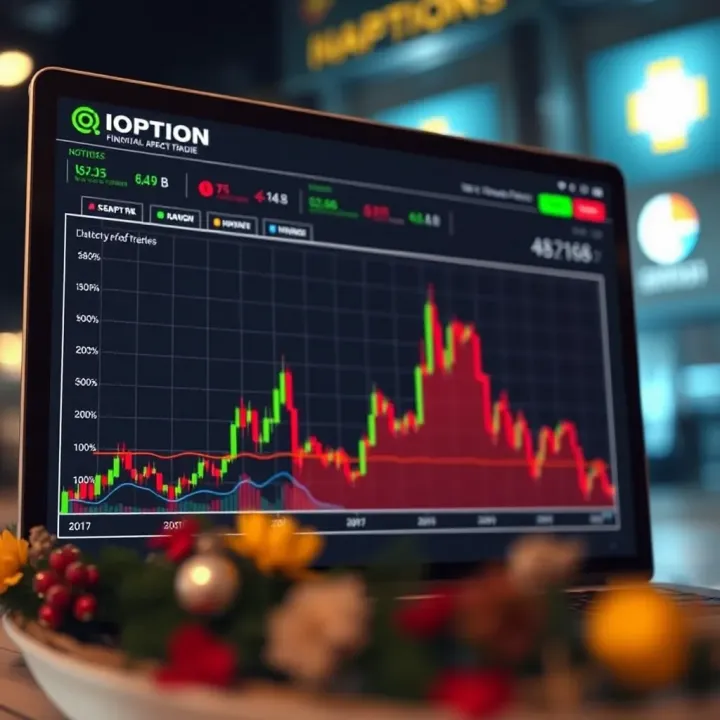
IQ Option’s interface includes intuitive chart tools that help traders understand market movements better. For example, Kenyan traders can use candlestick charts to spot price trends in forex pairs like USD/KES or BTC/USD. Selecting the right assets to trade is straightforward because the platform categorises them clearly, allowing you to focus on your preferred markets without getting lost.
Another perk is the demo account feature. This lets users practise trading without risking real money, which is particularly useful for beginners or those trying new strategies. You can try buying and selling stocks or currencies on the simulated platform, learning how to react to market changes before committing actual funds.
Using stop-loss and take-profit orders is a practical way to manage your trades. Suppose you buy shares in Safaricom; you can set a stop-loss to sell if the price drops 5% to avoid bigger losses. Likewise, take-profit orders help lock in gains when prices hit your target, ensuring you cash out before the market reverses.
Also, starting with small investments makes sense, especially if you are a rookie. Instead of putting KS0,000 on one trade, try KS,000 or less first. This approach helps you learn without risking too much. Over time, as you grow your skills and confidence, you can increase your trading amounts gradually.
IQ Option offers customer service via live chat and email, which Kenyan users can access for quick help. Whether you face technical issues or need clarification on deposits using M-Pesa, reaching out to their support can save time and frustration.
On top of that, there are webinars and tutorials tailored to Kenyan traders that explain how to use the platform effectively. These sessions often cover local market insights and payment options familiar to Kenyan users. Attending or reviewing these educational materials can sharpen your trading skills and keep you updated on best practices.
Using IQ Option effectively means combining practical tools, risk control, and continuous learning. This way, you build a trading routine that fits Kenyan market realities and safeguards your finances.
📈 Discover the IQ Option minimum deposit for Kenyan traders, payment methods like M-Pesa, and handy tips to start trading securely with confidence today.

🔍 Explore IQ Mining's cloud crypto trading and mining, spot key features and risks, plus how users in Kenya can safely benefit and start earning with clear steps.
Explore how IQ Option robots handle trades automatically ✅, the risks and rewards for South African traders 🇿🇦, plus tips for safer, smarter use on the platform.

📊 Explore how derivative trading works in Kenya’s markets, the types involved, regulation, risks, and practical investor tips to navigate this complex area wisely.
Based on 8 reviews